
Google Sheets Monthly Planner: How to Plan Your Month and Actually Follow Through

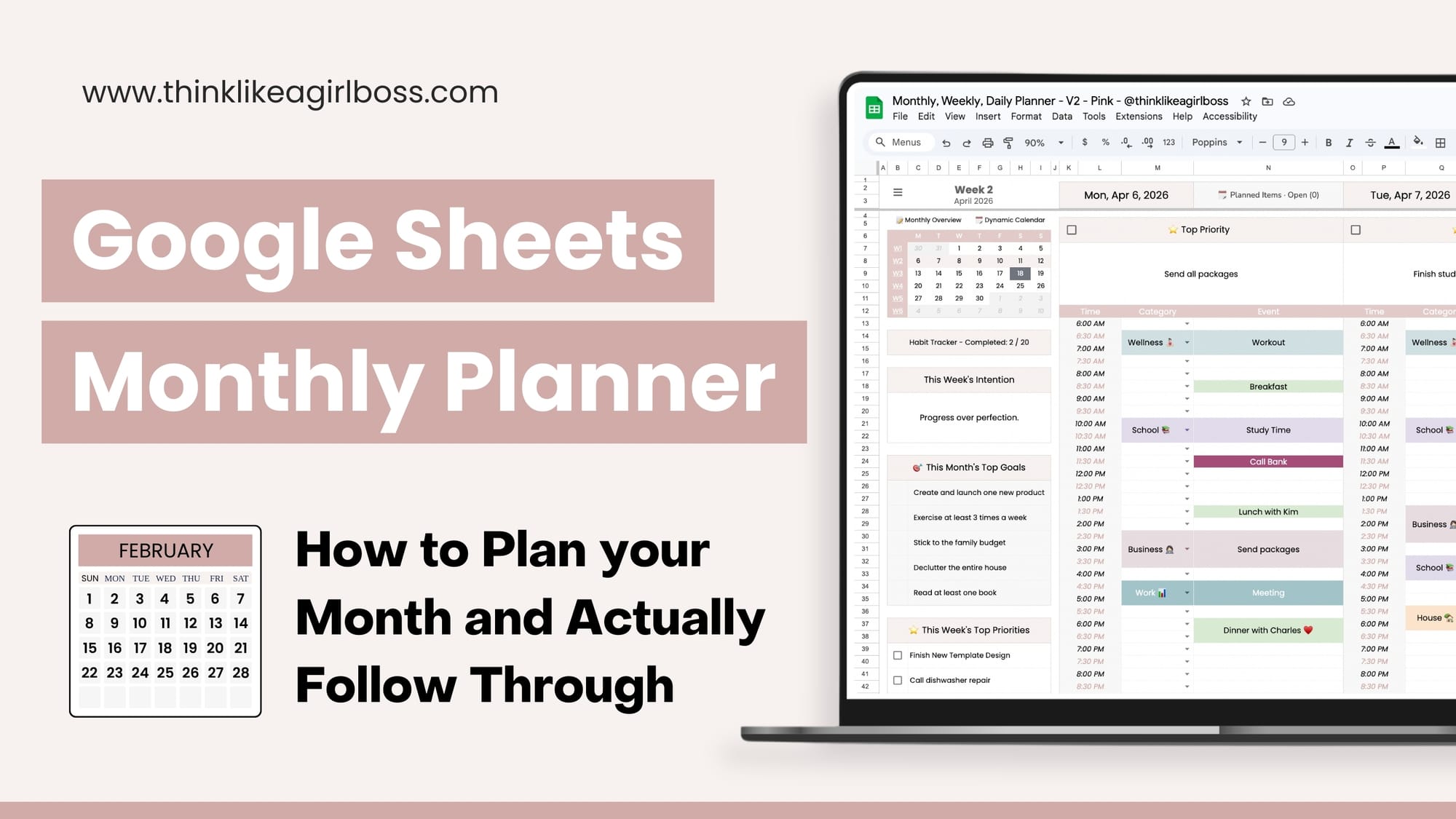
Staying organized every month isn't about filling every hour of your day. It's about having a system that helps you see what matters and plan around it so you can actually follow through.
Spreadsheets are what work for me, so I built one that helps me do exactly that.
This Google Sheets Monthly Planner was designed for anyone who wants a simple system to plan their month without feeling overwhelmed. It's organized into clear sections that guide you from your big-picture monthly goals all the way down to your daily actions.
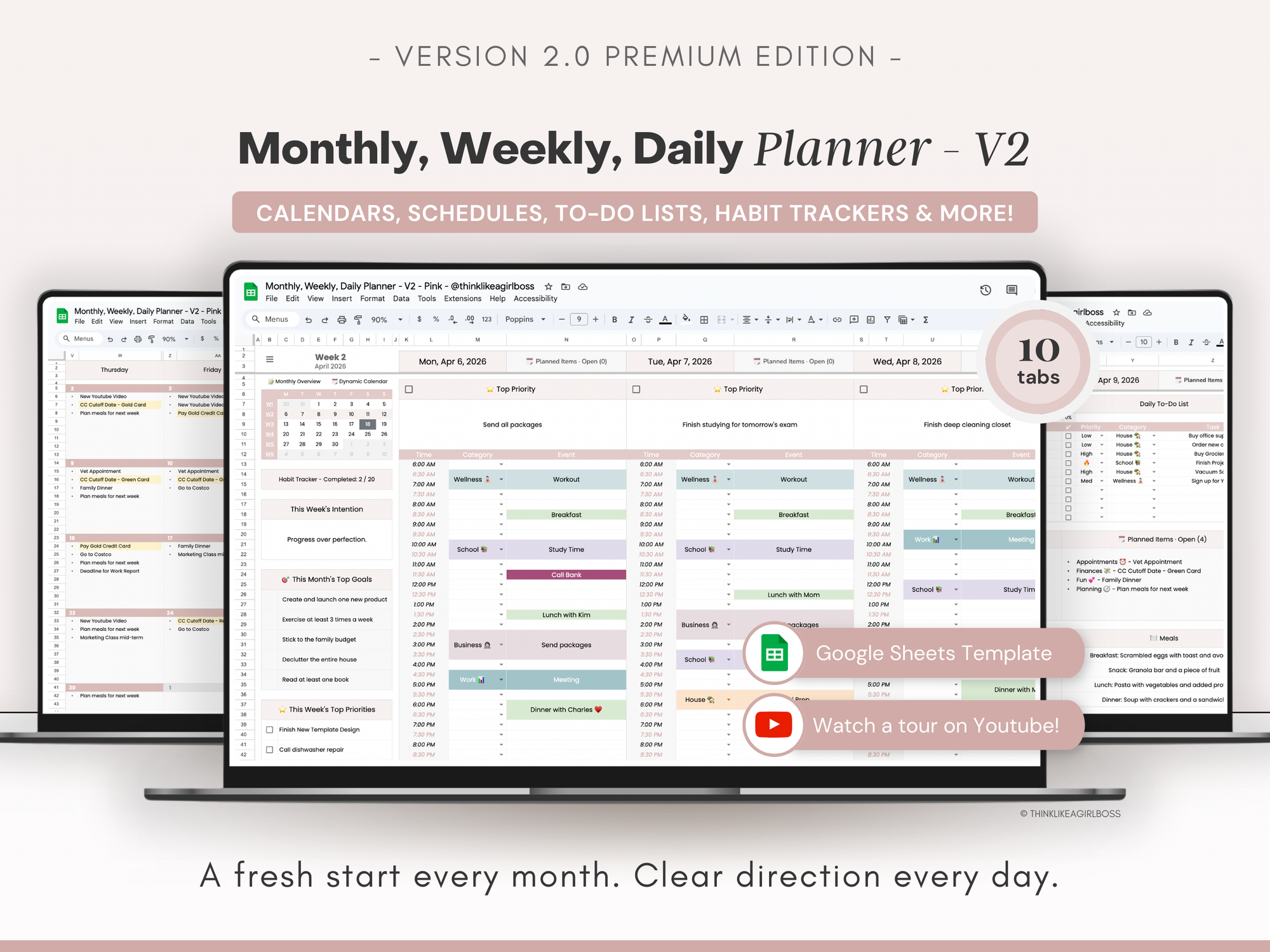
A few years ago, I created the first version of this Google Sheets planner. I've used it consistently for three years, but recently I felt it was time to create something new. Not a complete reinvention, just a more refined version.
Version 2.0 includes a refreshed weekly layout, an improved habit tracker, and a brand-new Dynamic Calendar that syncs directly with your weekly tabs.
Here's how it works.
Monthly Overview: Start With the Big Picture
Inside the Monthly Overview tab, you’ll set up to five goals for the month and map out what each week will focus on.
The calendar works like a whiteboard. You can outline your weeks, explore ideas, and organize your thoughts before breaking them down further.
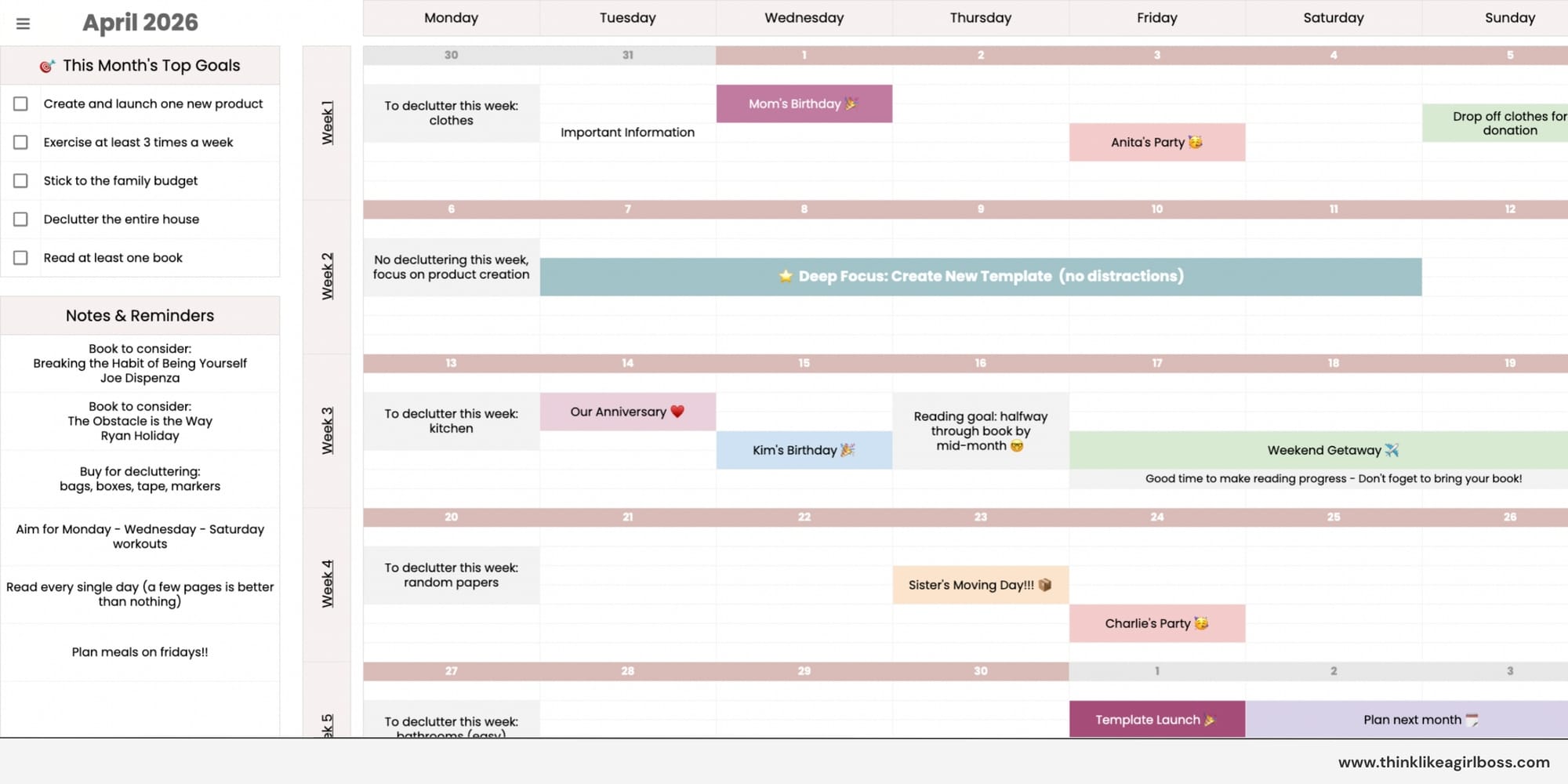
It’s not connected to anything else, so you can brainstorm freely without affecting the rest of the template.
Dynamic Calendar: Plan Once, See It Everywhere
The Dynamic Calendar is where things become more automated. You can use this section to plan specific tasks, events, and deadlines you already know about at the beginning of the month.
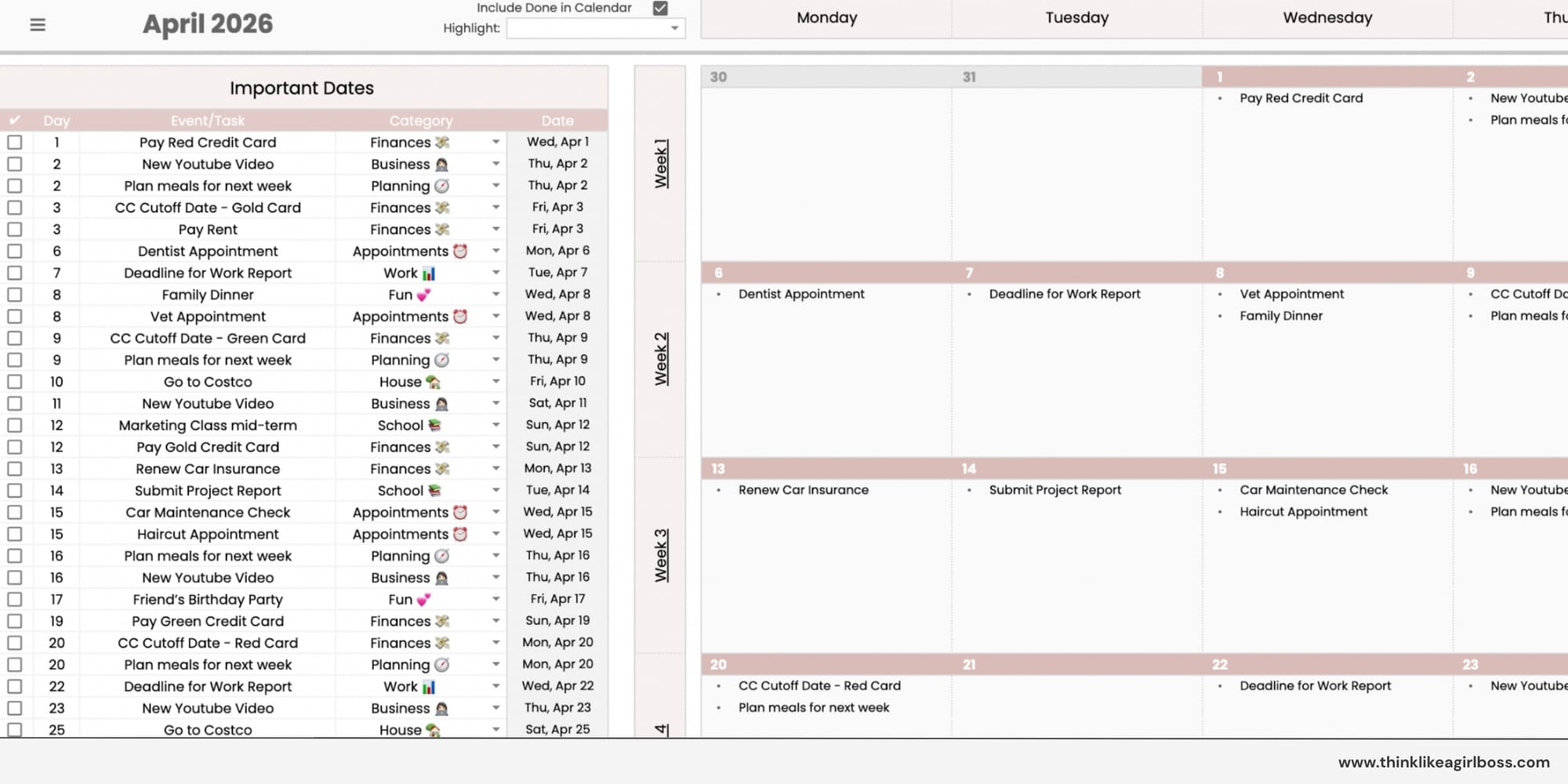
Instead of typing directly into the calendar, you enter your tasks and events into a simple table. You set the date, add your task, assign a category if you’d like, and mark it as done when completed.
As soon as you enter it, the task appears automatically in the calendar view and on the correct day inside your weekly planner tabs 🤩
Daily Planning: Structure Without Overwhelm
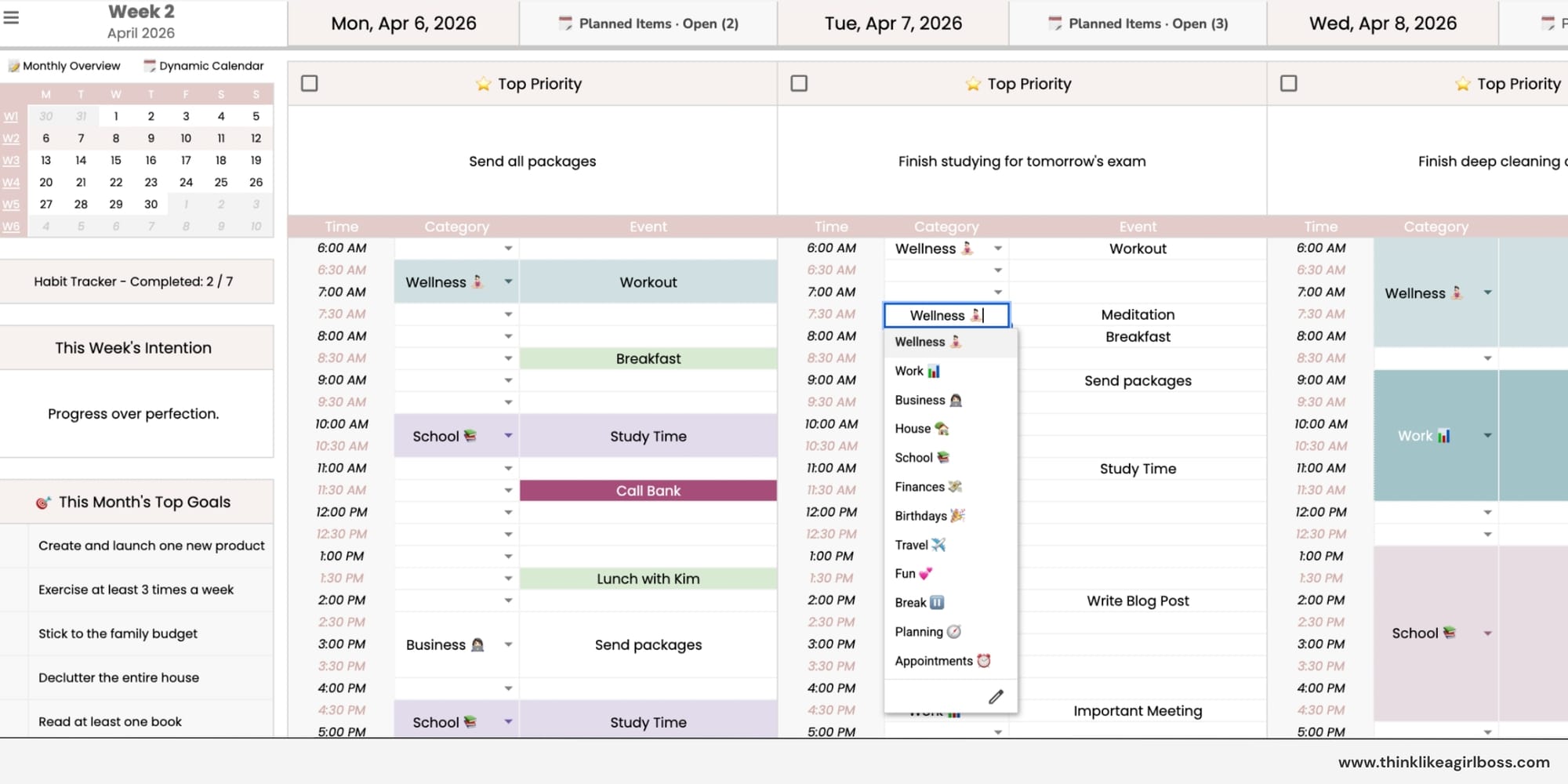
Each day is designed to give you structure without feeling overwhelming.
You can start by setting a top priority for the day, then build out your schedule starting at the time you selected during the initial setup. You can keep it simple or make it as detailed and colorful as you like.
Habit Tracker: Simple and Motivating
At the end of each weekly tab, you’ll find a built-in habit tracker. You simply add your habit, set a weekly target, and check off the days as you complete it. Once you reach your target, you hit 100%.
As you track your habits, the progress updates automatically. It’s simple, visual, and easy to keep up with.
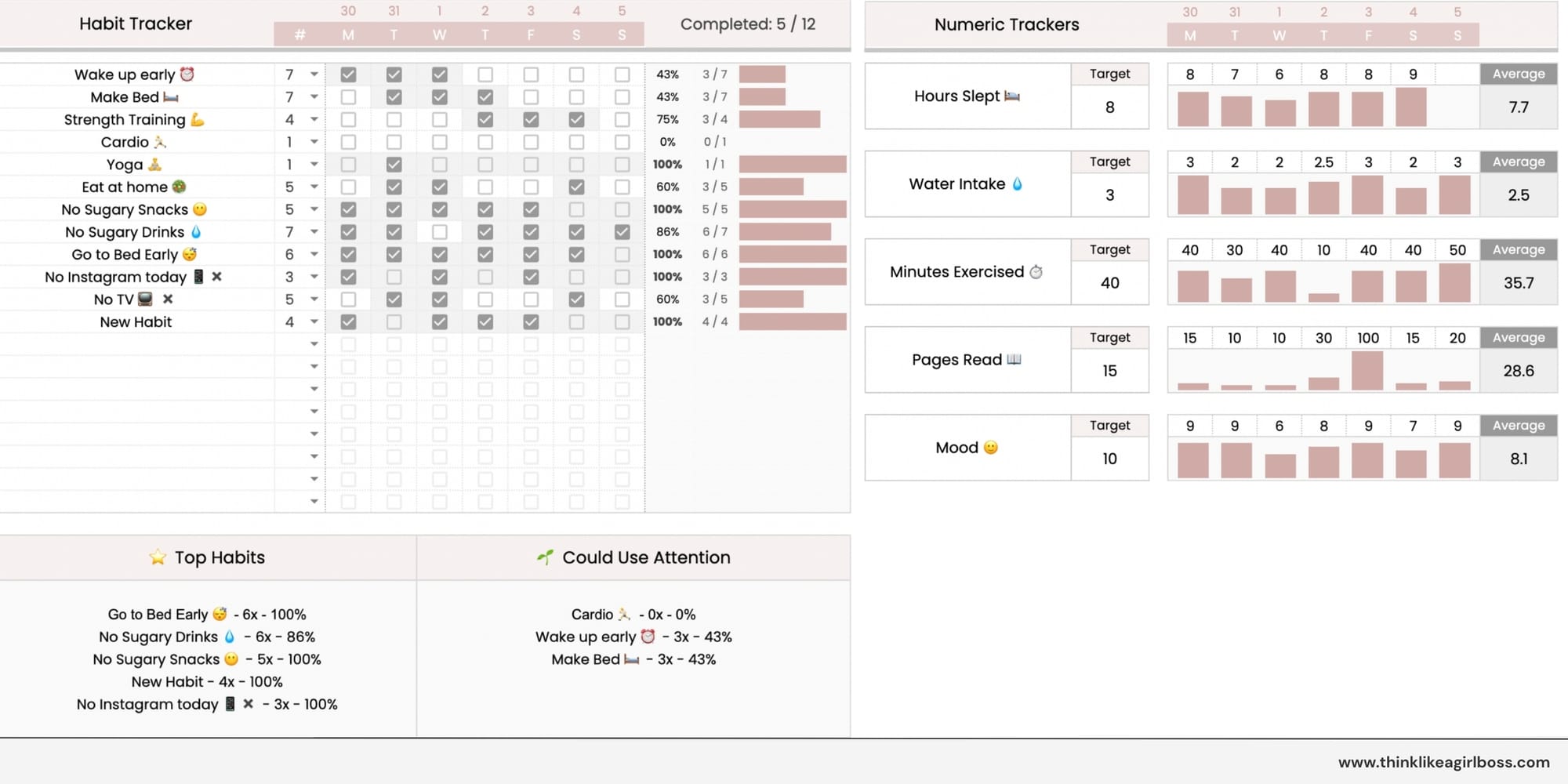
Each weekly tab also includes five customizable numeric trackers. You can use them to track things like hours slept, pages read, water intake, your mood, or anything else that fits your routine.
Designed to Be Reused Every Month
This is an undated monthly file that works for any month and any year. Once you set the month and year, all dates update automatically.
At the end of each month, simply create a new copy to start fresh (you can create as many copies of the template as you need).
If this feels like a good fit, you can grab the template here:
If you have any questions, please feel free to reach out and I’ll be happy to answer them! Click here to send me a message.
Love, Pao 👩🏻💻✨